For every Shopify store · Tidy Payments
A checkout your customers understand.
Put the payment method most customers use on top, and give unclear names a name people understand. Changes reach checkout within a minute.
Free plan available · Pro $2.99 a month · 7-day free trial
 Watch the 1 minute video
The problem
Small details at checkout cost real sales.
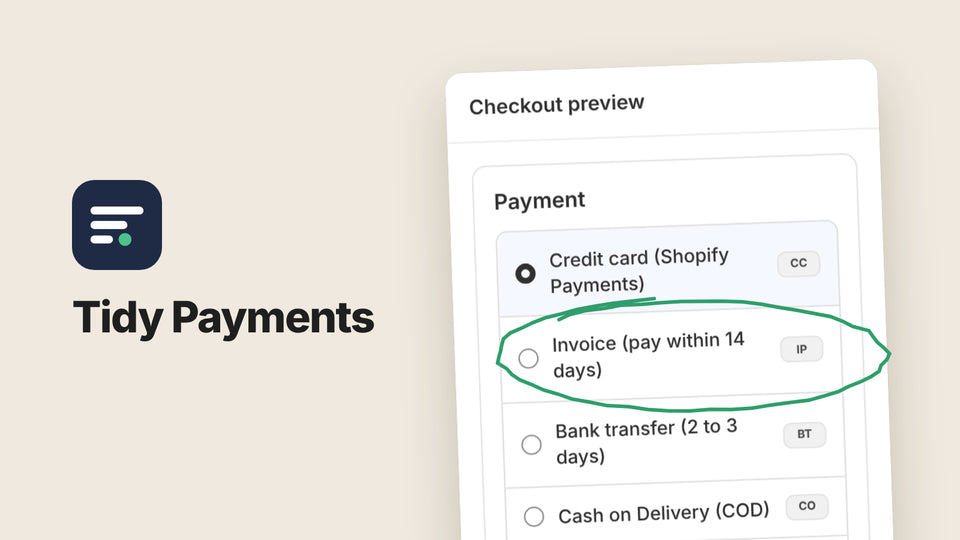
Payment apps and manual methods often show up with technical names and in a random order. The method on top is preselected, so the wrong one on top means more clicks, more doubt and more abandoned carts.
What it does
Four things, done properly.
Sort
Choose the order
Drag the methods into the order you want. The top one is preselected.
Rename
Clear names
Turn "Manual payment 2" into "Bank transfer (2 to 3 days)". Two names free, all on Pro.
Hide
Show only what you want
Hide a method at checkout, or show it only to retail or B2B customers.
Languages
A name per language
Give each method its own name in every language your checkout uses.
Setup
Ready in about a minute.
Install
Add Tidy Payments from the Shopify App Store. It opens inside your Shopify admin.
Pick your methods
Tap the payment methods you use from a ready list: from your orders, common in your country, or manual ones.
Sort, rename, save
Drag, type a new name and save. Checkout updates within a minute. No theme changes.
Pricing
Start free. Upgrade when you need more.
Free
For stores that want a clear order and two better names.
- Sort all payment methods
- Rename up to 2 methods
- Checkout preview
- Support from the developers
Pro
7-day free trial. Billed on your Shopify invoice.
- Everything in Free
- Rename every method
- Hide methods at checkout
- Show methods to retail or B2B only
- Names per language
Questions
Before you install.
Do I need to change my theme or write code?
No. Tidy uses Shopify's own payment customization feature. Nothing is added to your theme.
Does the name have to match my checkout exactly?
No. Tidy ignores capital letters, accents, punctuation and extra words. Pick the method from the list and Tidy finds it at checkout.
Can I rename or move Shop Pay, Apple Pay or Google Pay?
No. Shopify does not allow apps to rename or move wallets and express buttons. Customers who check out with Shop Pay also see Shopify's normal list. Every other method can be sorted and renamed.
Can I hide card payments and keep Apple Pay and Google Pay?
Yes, on Pro. Hiding the card option only removes the card field at checkout. Apple Pay and Google Pay are separate methods and stay.
What happens if I uninstall?
Shopify removes Tidy's customization and your checkout goes back to Shopify's normal order and names.
Which languages does the app speak?
The app is in English, Spanish and Norwegian. Support is in English and Norwegian.
Stuck? Write to the people who built it.
support@adevops.no · usually answered the same day.